5 Desk Fixes for the Return-to-Office Season
Quick Answer: The September return to full desk hours after a broken summer schedule reliably produces neck, hip and lower back complaints within two weeks. Five fixes address most of it: monitor height, chair depth and lumbar contact, keyboard position, a movement trigger every 30 minutes, and feet flat on something. Do them in that order - monitor height fixes the most for the least effort.
Almost nobody sat at a proper desk for eight consecutive hours in August. The return in September is a sudden load increase on tissues that have spent six weeks doing something else, and the complaints that follow are predictable enough to prevent.

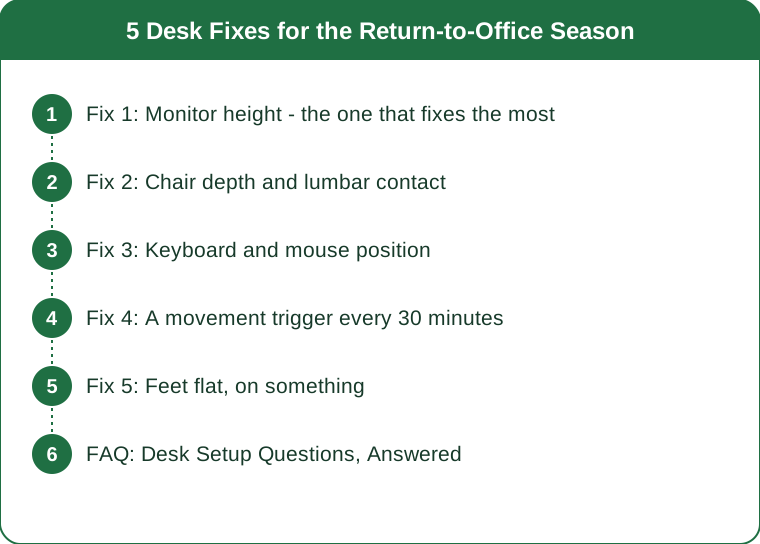
Fix 1: Monitor height - the one that fixes the most
The problem it solves: neck and upper back pain, tension headaches, and the forward head posture that develops within days of looking down at a screen.
The rule: the top of the screen should sit at or slightly below eye level, with the screen roughly an arm’s length away. When you look straight ahead, your eyes should land on the upper third of the display.
Why this matters more than any other adjustment: the head weighs roughly five kilograms, and tilting it forward multiplies the load on the neck and upper back substantially. A screen 15cm too low is a sustained load on those muscles for eight hours.
The laptop problem specifically. A laptop cannot be ergonomic on its own - the screen and keyboard are attached, so correct screen height puts the keyboard at chest level. The fix is a separate keyboard, which costs very little and is the single highest-return purchase for anyone working on a laptop daily.
Free versions of a laptop stand: a stack of books, a ream of paper, a shoebox. The specific object does not matter. Raising the screen until the top edge is at eye level does.
What to check right now: sit normally, close your eyes, then open them looking straight ahead. If your eyes land below the top third of your screen, the screen is too low.
The dual-monitor version: the primary screen goes directly in front of you, not to one side. A permanently rotated neck is worse than a slightly lowered one.
Fix 2: Chair depth and lumbar contact
The problem it solves: lower back ache that builds through the afternoon, and the slumping that produces it.
Seat depth first. With your back against the backrest, there should be roughly two to three finger-widths between the front edge of the seat and the back of your knees. Too deep and you slide forward, which removes all back support. Too shallow and the thighs are unsupported.
Most chairs are set too deep for most people, and many have an adjustable seat pan that has never been touched.
Lumbar contact next. The lower back has a natural inward curve, and a chair that does not support it means the spine gradually flattens as muscles fatigue. That flattening is what produces the afternoon ache.
The free fix: a rolled towel or a small cushion at the level of your belt line. This works genuinely well and costs nothing. A purpose-made lumbar support is neater and not obviously better.
Height: thighs roughly parallel to the floor or with the knees very slightly below the hips. Hips below knees is a position that encourages slumping.
The honest caveat about posture: there is no single perfect sitting position, and the evidence for one specific posture preventing pain is weaker than the ergonomics industry suggests. What matters more is that the position is supported and that you change it regularly. A well-set-up chair makes changing position easy; a badly set-up one forces one compromised position all day.
Fix 3: Keyboard and mouse position
The problem it solves: shoulder tension, wrist discomfort, and the upper trapezius tightness that most people carry by Thursday.
Elbows at roughly 90 degrees, close to the body. If your elbows are winging outward or your shoulders are raised, the keyboard is too high or too far away.
The most common error is reaching. A keyboard pushed toward the back of the desk to make space means the arms are extended forward all day, which loads the shoulders continuously. Bring it close enough that the elbows stay at your sides.
Wrists neutral, not bent up. Many keyboards have small legs at the back that tilt them upward, which puts the wrists into extension. Fold those legs down. They exist for visibility on old keyboards and are actively unhelpful ergonomically.
The mouse belongs next to the keyboard, at the same height. A mouse further away or on a different surface means reaching sideways repeatedly, which is a common source of shoulder complaints on one side only.
If you use a numeric keypad rarely, a keyboard without one lets the mouse sit considerably closer, which reduces the reach. This is a small change with a noticeable effect for anyone who mouses heavily.
What to check: sit normally and let your arms hang. Raise your forearms to the keyboard without moving your upper arms. If you cannot reach comfortably, something needs to move.

Fix 4: A movement trigger every 30 minutes
The problem it solves: everything the first three fixes do not, which is most of it.
The evidence points more strongly to movement frequency than to posture quality. The body tolerates a wide range of positions and tolerates none of them for eight hours. The best posture is the next one, and that principle is better supported than any specific chair setting.
Thirty minutes is a reasonable interval. Not a rule, but a workable default - long enough not to disrupt focus, short enough to prevent tissue from settling into one loaded position.
What counts as movement: standing up. That is genuinely the threshold. Stand, take a few steps, sit back down. Thirty seconds.
The trigger matters more than the intention. A reminder that you dismiss is not a trigger. Options that actually work:
- Standing for every phone call, without exception
- Filling a smaller water bottle, so refilling forces the break
- Standing up whenever you send an email
- A recurring calendar block rather than a notification
Three movements worth doing when you stand:
- Chin tucks - draw the chin straight back, hold 5 seconds, repeat 5 times. Directly counteracts forward head posture.
- Hip flexor stretch - a lunge position, 20 seconds each side. The hips are the tissue most affected by prolonged sitting.
- Doorway chest stretch - forearm on the frame, step through, 20 seconds each side.
Total time cost: under two minutes per hour. This is the fix with the best return and the one most often skipped.
Fix 5: Feet flat, on something
The problem it solves: dangling feet, crossed legs, and the pelvic tilt that follows from both.
Feet should be flat on the floor with the thighs supported. If your chair is at the correct height for your desk and your feet do not reach, the chair is not the problem - the desk is too high, which is extremely common with fixed-height desks.
The fix: a footrest, or a box, or a stack of books. Anything stable that brings the floor up to meet your feet.
Why dangling feet matter: unsupported legs put pressure on the underside of the thigh and encourage sliding forward in the seat, which undoes the lumbar support from fix 2.
Crossed legs create an asymmetric pelvic position sustained for long periods. It is not dangerous and it is worth alternating rather than defaulting to one side all day - most people cross the same leg every time without noticing.
Standing desks are useful and are not a solution on their own. Standing all day produces its own set of complaints. The benefit comes from alternating, and a reasonable pattern is switching every 30-60 minutes.
A note on when this warrants more than a desk fix: pain that radiates into an arm or leg, numbness, tingling, weakness, or pain that wakes you at night are all worth a professional assessment rather than a chair adjustment. Persistent pain that has not improved after a few weeks of a better setup is also worth getting looked at. This is general information, not medical advice.
Where to start if all five feel like too much: monitor height and the 30-minute movement trigger. Those two account for most of the available benefit and both can be done this afternoon for nothing.
FAQ: Desk Setup Questions, Answered
Do I need an expensive ergonomic chair?
Not necessarily. Correct height, correct seat depth, and lumbar support - which a rolled towel provides - cover most of what an expensive chair offers. Adjustability is what you are paying for, and an unadjusted expensive chair is worse than a well-adjusted cheap one.
Is a standing desk worth it?
For alternating positions, yes. As a replacement for sitting, no - standing all day produces its own complaints. The benefit is in the variation.
How long until a better setup fixes existing pain?
Many people notice improvement within one to two weeks. Pain that persists beyond a few weeks despite a good setup warrants a professional opinion.
What about laptop use on a sofa or in bed?
Briefly, it is fine. As a daily working position, it is the setup most likely to produce neck complaints, because the screen is always too low. A separate keyboard and any kind of stand transforms it.
Does posture actually cause back pain?
The relationship is weaker and more complicated than commonly presented. Sustained static loading, low overall movement, stress and sleep all appear to matter considerably. This is why the movement fix outranks the posture fixes.
TL;DR:
- Monitor height fixes the most for the least effort - top of screen at eye level, arm’s length away
- A separate keyboard is the highest-return purchase for anyone on a laptop daily
- Seat depth two to three fingers behind the knee, with lumbar support from a rolled towel if needed
- Stand up every 30 minutes; movement frequency matters more than any specific posture
- Feet flat on something, and alternate which leg crosses if you cross them
If you do two things: raise the monitor and set a movement trigger. Both are free and both can happen this afternoon. This is general information, not medical advice.
Keep Reading
This article is for general informational purposes only and is not medical advice. It is not a substitute for professional diagnosis or treatment. Always consult a qualified healthcare provider about your individual situation, especially before making significant changes to your diet or exercise routine.