5 Desk Reset Routines for the First Week Back at a Full Schedule
Quick Answer: The first week back at a full desk schedule reliably produces stiffness in five areas: hip flexors, upper back and neck, wrists, eyes, and the lower back. Each responds to a short frequent routine far better than to one long session, because the problem is sustained position rather than weakness. Set a break every 45 to 60 minutes and rotate through the five - none takes more than two minutes, and you do not need to leave your desk area for four of them.
After a summer of moving around, eight hours in a chair lands hard. The fix is frequency, not intensity.

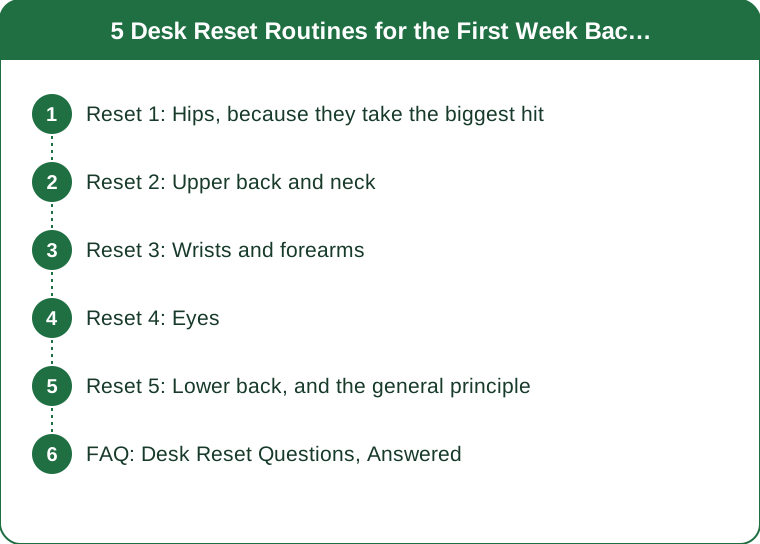
Reset 1: Hips, because they take the biggest hit
What happens: sustained hip flexion for hours shortens the front of the hip and switches off the glutes. After a summer of walking, beaches, and generally being upright, the change is abrupt and produces the tight-front-of-hip feeling by around day three.
The routine, 90 seconds: stand up and take a long step back into a split stance, tuck the pelvis under, and hold for thirty seconds each side. Then five slow standing hip circles in each direction. That is the whole thing.
Why standing matters: stretching the hip flexors while seated does very little, because the position that caused the problem is the one you are stretching in. Standing up is the active ingredient.
Frequency beats duration substantially here. Ninety seconds every hour does more than fifteen minutes at the end of the day, because you are interrupting the sustained position rather than trying to reverse a full day of it.
Pair it with a glute squeeze. Ten slow contractions while standing, three seconds each. It re-engages the muscle that switches off during prolonged sitting and takes thirty seconds.
Reset 2: Upper back and neck
What happens: the head drifts forward, the upper back rounds, and the muscles between the shoulder blades lengthen and weaken while the chest tightens. This is the classic desk posture and it produces the mid-afternoon neck ache.
The routine, 60 seconds: ten band pull-aparts if you keep a band at your desk, or ten scapular squeezes if you do not - shoulders down, squeeze the blades together, hold three seconds. Then five slow chin tucks, drawing the head straight back over the shoulders without tilting.
The chin tuck is the most valuable and the least performed. It directly counters forward head posture, which is the mechanical origin of most desk-related neck complaints, and it can be done invisibly in any meeting.
Keep a resistance band in a desk drawer. It converts a stretch into strengthening, and the muscles between the shoulder blades need strengthening rather than stretching - they are already long.
And check the monitor height while you are at it. The top of the screen should be at or slightly below eye level. A laptop on a desk without a stand guarantees the posture you are trying to correct, and no amount of stretching outperforms fixing the setup.
Reset 3: Wrists and forearms
What happens: sustained typing loads the forearm in a fixed position, and the wrist extensors in particular fatigue and tighten. After a summer of less keyboard time, the first week back frequently produces forearm aching that people misattribute to the mouse.
The routine, 60 seconds: arm straight out, palm down, gently pull the fingers back toward you for twenty seconds. Then palm up, pull the fingers down for twenty seconds. Then ten slow wrist circles each direction, and shake the hands out.
Add a grip release rather than a grip strengthener. Most desk workers do not need more grip strength - they need the forearms to stop holding tension. Opening the hand fully and spreading the fingers wide for five seconds, ten times, is more useful than squeezing anything.
Check the mouse and keyboard position. Elbows at roughly ninety degrees, forearms supported, wrists neutral rather than bent up. A keyboard too far forward makes you reach, and reaching is what turns a mild ache into a persistent one.
Persistent numbness, tingling, or night pain in the hand is a different matter and warrants medical assessment rather than more stretching. This is general information, not medical advice.

Reset 4: Eyes
What happens: sustained near focus fatigues the focusing muscles and blink rate drops substantially during screen work, which produces the dry, tired eyes that make the whole afternoon feel harder.
The routine, 20 seconds: the 20-20-20 rule - every twenty minutes, look at something about twenty feet away for twenty seconds. This is the most evidence-supported item in this article and the least performed.
Blink deliberately ten times at the end of it. Blink rate can fall by half or more during concentrated screen work, and deliberate blinking restores the tear film that the drop in rate compromised.
Autumn makes this worse specifically. Indoor heating drops humidity, which increases tear evaporation, so eye dryness that was manageable in August frequently becomes noticeable in October. It is the same interaction that affects your skin.
Position the screen slightly below eye level. Looking slightly downward means less of the eye surface is exposed, which reduces evaporation. It also happens to be the position that is best for your neck, so the two fixes align.
Reset 5: Lower back, and the general principle
What happens: sustained sitting loads the lumbar discs and static positions produce stiffness regardless of how good the chair is. The best posture is genuinely the next one, and no chair solves eight hours of not moving.
The routine, 90 seconds: stand and do ten slow standing back extensions - hands on the hips, gently arching backward. Then ten cat-cow movements standing, alternating rounding and arching the whole spine. Then walk for thirty seconds.
The walking is the part that matters most. Any excuse to move - filling a water bottle, taking a call standing, using a further bathroom - accumulates more benefit than any stretch. The stretches are what you do when you genuinely cannot leave the desk.
Set the interval, do not rely on noticing. A timer every 45 to 60 minutes, or a habit attached to something that already happens hourly. Relying on discomfort as the trigger means you move only after the problem has developed.
And rotate rather than doing all five. One reset per break, cycling through them, means each area gets attention every five breaks and no single break costs more than two minutes. Five separate two-minute breaks across a day is ten minutes total, which is a trivial cost for the difference it makes in the first week back.
FAQ: Desk Reset Questions, Answered
How often should you get up from your desk?
Every 45 to 60 minutes for at least a minute or two. The specific interval matters less than the regularity - the harm from sitting comes from sustained uninterrupted position, so frequent short interruptions outperform one long break.
What is the 20-20-20 rule?
Every twenty minutes, look at something roughly twenty feet away for twenty seconds. It gives the focusing muscles a break from sustained near work and prompts you to blink, which restores the tear film that drops during concentrated screen use.
Why does my body ache more after going back to a full desk schedule?
Because the change is abrupt. A summer with more movement and less sitting means the sustained positions of a full desk day are unfamiliar again, and hip flexors, upper back, wrists, and lower back all respond to sustained position rather than to load. It typically settles over two to three weeks with regular movement breaks.
Do desk stretches actually help?
For stiffness and discomfort from sustained positions, yes - particularly when done frequently rather than once. What matters more than any individual stretch is interrupting the position regularly, so a short walk every hour outperforms an elaborate stretching routine done once a day.
TL;DR:
- Five areas take the hit in the first week back: hips, upper back and neck, wrists, eyes, and lower back.
- Reset 1 - stand into a split stance and tuck the pelvis, 30 seconds a side, plus ten glute squeezes.
- Reset 2 - scapular squeezes or band pull-aparts, plus five chin tucks; fix the monitor height while you are there.
- Reset 3 - wrist extensor and flexor stretches, plus finger spreads to release grip rather than strengthen it.
- Reset 4 - 20-20-20 and ten deliberate blinks; dry indoor air in autumn makes this matter more than it did in August.
- Reset 5 - standing back extensions, standing cat-cow, and thirty seconds of walking, which is the most valuable part.
- Rotate one reset per break every 45 to 60 minutes on a timer. Ten minutes across a whole day.
The body is not complaining about the work. It is complaining about the stillness.
Keep Reading
This article is for general informational purposes only and is not medical advice. It is not a substitute for professional diagnosis or treatment. Always consult a qualified healthcare provider about your individual situation, especially before making significant changes to your diet or exercise routine.