5 Desk Resets for the First Week Back at a Desk
Quick Answer: Raise the screen so the top third is at eye level, set the chair so hips are slightly above knees, get both feet flat on something solid, and take a two-minute movement break every 45 minutes. The single biggest change for most people is the screen height, because a low screen drags the whole spine forward and everything else follows from there.
The first week back at a desk after a summer of walking, travelling, and being outdoors is a specific kind of unpleasant. Shoulders by Wednesday, lower back by Thursday, and a general feeling that your body has forgotten how to be a person who sits. The setup has not changed. What changed is that you spent three months not being in it.

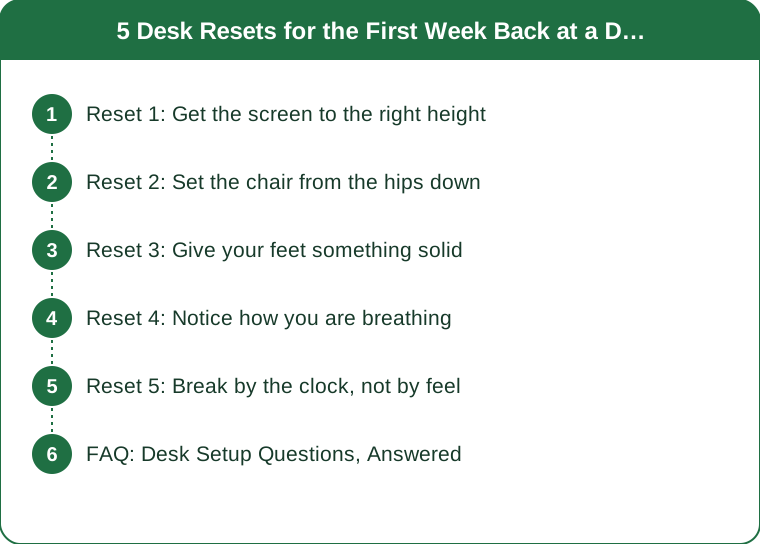
Reset 1: Get the screen to the right height
This is the highest-leverage change and the one most home setups get badly wrong, because a laptop on a desk puts the screen roughly a foot below where it should be.
The top third of the screen should be at eye level, and the screen should be about an arm’s length away. If you are looking down at your screen, your head tips forward. An adult head weighs roughly 4 to 5kg, and the further forward it sits, the more load the muscles of the neck and upper back carry to hold it there.
That forward head position is the origin of most of what people call desk shoulders. The upper trapezius and the muscles at the base of the skull work continuously for eight hours, and the ache shows up in the evening.
The fix costs nothing. A stack of books under a laptop, plus any external keyboard, converts the worst part of a home setup into an acceptable one. A proper laptop stand is neater but functionally identical.
On a dual-screen setup, put the screen you use most directly in front of you, not off to one side. A permanently rotated neck is a slower version of the same problem.
Reset 2: Set the chair from the hips down
Most people adjust a chair by how the backrest feels. Start at the other end.
Hips slightly higher than knees, by around 10 to 20 degrees of thigh slope. This position keeps a gentle inward curve in the lower back. When knees sit higher than hips - which happens in a chair that is too low or a sofa - the pelvis tips backward and the lumbar spine rounds, which is the position most associated with end-of-day lower back ache.
Then set the backrest. The lumbar support should meet the inward curve of your lower back, roughly at belt height. If your chair has no lumbar support, a rolled towel or a small cushion works genuinely well.
Then the armrests, if you have them: high enough that your shoulders are relaxed rather than shrugged, low enough that you are not propping. If the armrests force your shoulders up, lower them or remove them.
And then stop optimising. There is no perfect chair position, because no static position is good for eight hours. The chair’s job is to make a decent posture the easy default, not to hold you in place. Moving between two or three acceptable positions beats holding one ideal one.
Reset 3: Give your feet something solid
The most overlooked element, and the one that quietly undoes the chair adjustment.
When you raise the chair to get your hips above your knees, shorter legs often end up with feet dangling or resting on tiptoes. That has two effects: pressure builds under the thighs at the front edge of the seat, and the legs stop contributing any stability, so the lower back does that work instead.
Both feet should be flat, with ankles roughly under the knees. If they are not, you need a footrest - and a ream of paper, a stack of books, or a shoebox all work perfectly until you buy one.
The opposite problem exists too. Very tall people often find every desk too low, which forces the chair down and the knees up. A desk riser or a taller chair with a footrest solves it; hunching does not.
One more foot-related detail: crossing your legs for long periods rotates the pelvis and loads one side of the lower back. It is not a catastrophe and it is worth noticing, because most people who do it are unaware they have been in the same crossed position for two hours.

Reset 4: Notice how you are breathing
This sounds like an odd inclusion in a desk setup list, and it is one of the more useful ones.
Sitting slumped compresses the ribcage and restricts the diaphragm, which pushes breathing upward into the chest and shoulders. Chest breathing is shallower, involves the neck muscles that are already overworked, and is associated with a mildly more alert, stressed physiological state.
A quick check: put one hand on your chest and one on your stomach and breathe normally for a few breaths. The lower hand should move more than the upper one. If the upper hand is doing the moving, your position is limiting your breathing.
The fix is usually postural rather than a breathing exercise - sit taller, get the screen up, and the ribcage opens on its own.
Then add one deliberate reset per hour. Three slow breaths with a longer exhale than inhale, done at your desk, takes twenty seconds. It lowers heart rate slightly, releases the shoulders, and is a reasonable prompt to check whether you have slid down in the chair again - which, after 50 minutes, you almost certainly have.
Reset 5: Break by the clock, not by feel
Waiting until you feel stiff means waiting until the load has already accumulated. By the time your back aches, you have been in a bad position for an hour.
Every 45 minutes, two minutes of movement. Not a walk to the kettle and back to the same position - a genuine change of shape:
- Stand and reach overhead, both arms, for 10 seconds
- Five shoulder rolls backward
- Ten calf raises
- One hip flexor stretch each side, 20 seconds
- Look out of a window at something distant for 20 seconds
That last one is not filler. Prolonged near-focus contributes to eye strain, and the standard guidance is to look at something around 20 feet away for about 20 seconds every 20 minutes.
Attach the break to something that already happens - the end of a meeting, sending an email, the kettle boiling. A timer works for about four days and then gets ignored.
If your back or neck pain is persistent, worsening, or comes with numbness, tingling, or weakness in an arm or leg, that is worth seeing a doctor about rather than adjusting a chair. This is general information, not medical advice.
FAQ: Desk Setup Questions, Answered
How high should my computer screen be?
The top third of the screen at eye level, about an arm’s length away. A laptop on a desk is roughly a foot too low, which is why a stand plus an external keyboard is the best cheap upgrade available.
How often should I get up from my desk?
Every 45 minutes or so, for about two minutes of actual movement. Frequency matters more than duration - short and regular beats one long break.
Is a standing desk better than sitting?
Alternating is better than either. Standing all day produces its own problems, particularly in the feet and lower back. Aim to change position several times a day rather than to pick a winner.
TL;DR:
- Screen height first - the top third at eye level fixes the forward head position everything else follows from.
- Set the chair from the hips down: hips slightly above knees, then lumbar support, then armrests.
- Both feet flat on something solid; a stack of books works until you buy a footrest.
- Break every 45 minutes by the clock, and look at something 20 feet away while you do it.
None of this requires new equipment. Twenty minutes on a Monday morning with a stack of books and a chair lever is the difference between the first week back being fine and being the reason you spend October complaining about your shoulders.
Keep Reading
This article is for general informational purposes only and is not medical advice. It is not a substitute for professional diagnosis or treatment. Always consult a qualified healthcare provider about your individual situation, especially before making significant changes to your diet or exercise routine.