5 Desk Setup Fixes for the Return-to-Sitting Season
Quick Answer: The neck, shoulder, and lower back aches that show up in September usually come from an abrupt increase in sitting after a more mobile summer, not from a sudden ergonomic problem. Five fixes cover most of it: raise the screen to eye level, get the elbows to 90 degrees, support the lower back, put the feet flat, and break up the sitting every 30-45 minutes. The last one matters more than the other four combined.
The most effective ergonomic intervention is not a piece of equipment. It is not staying in any one position for as long as you currently do.

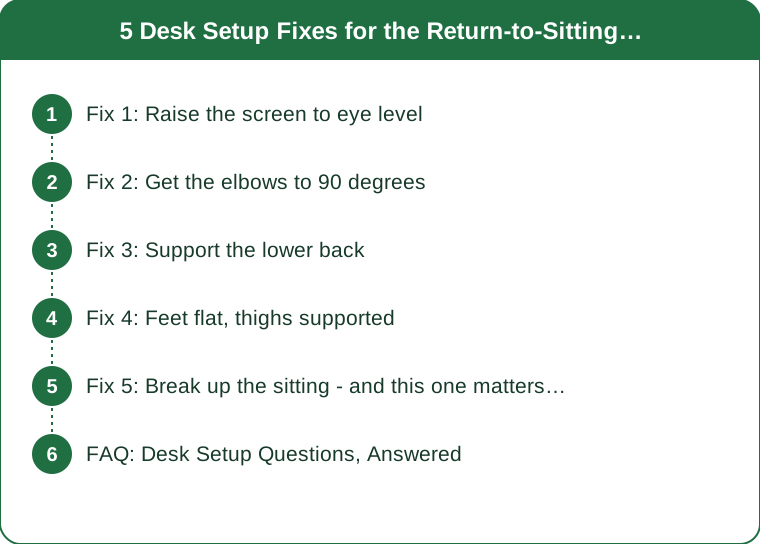
Fix 1: Raise the screen to eye level
The single most common problem, and the one with the clearest symptom.
The target: the top of the screen at or just below eye level, and the screen roughly an arm’s length away.
Why it matters: looking down at a screen tilts your head forward, and the load on the neck increases substantially as the head moves out in front of the shoulders. Your head weighs somewhere around 10-12lb in a neutral position, and the effective load on the neck structures rises considerably with forward tilt. Held for eight hours a day, that is what produces the ache at the base of the neck and across the upper shoulders.
The laptop problem, which is most people’s problem. A laptop cannot be ergonomically correct on its own - if the screen is at the right height, the keyboard is too high, and if the keyboard is right, the screen is too low. There is no arrangement that solves both.
The fix costs very little: a laptop stand plus an external keyboard and mouse. A stack of books works exactly as well as a stand and this is genuinely the highest-return change on this list for laptop users.
How to check yours: sit normally, close your eyes, then open them looking straight ahead. Your gaze should land on the top third of the screen. If you are looking at the middle or lower, the screen is too low.
For dual monitors: put the one you use most directly in front of you, not off to the side. Sustained neck rotation is worse than sustained flexion, and a lot of people spend all day with their head turned 20 degrees to the left.
Fix 2: Get the elbows to 90 degrees
The second most common problem, and the one behind most wrist and shoulder complaints.
The target: elbows bent at roughly 90 degrees, upper arms hanging close to your sides, shoulders relaxed and down, wrists straight rather than bent up or down.
What usually goes wrong: the desk is too high, so the shoulders shrug slightly to reach the keyboard. Held all day, that low-level shoulder elevation is what produces the tightness across the top of the shoulders that people attribute to stress.
Standard desks are 29-30 inches high, which was designed around writing and is too high for keyboard use for a large proportion of people, particularly anyone under about 5’8”.
Three ways to fix it, in order of cost:
- Raise the chair until the elbows are right, then deal with the feet - see fix 4. Free, and this is the standard solution
- A keyboard tray, which lowers the keyboard rather than raising you
- An adjustable desk, if you are buying anyway
On the keyboard itself: keep it flat rather than propped up on its rear legs. The legs tilt the keyboard so your wrists bend upward, which is the opposite of what you want. Almost everyone uses them because they are there.
On the mouse: keep it at the same height as the keyboard and close enough that you are not reaching. A mouse six inches further out than the keyboard means the shoulder is slightly extended all day, and that is a common cause of one-sided shoulder pain.
Fix 3: Support the lower back
The one people try to solve with expensive chairs and can usually solve with a cushion.
What you are supporting: your lower back has a natural inward curve, and sitting tends to flatten or reverse it, particularly as you tire and slump. Sustained end-range flexion of the lumbar spine is uncomfortable for most people over hours.
The target: something filling the gap between the chair back and the curve of your lower back, firm enough to maintain contact.
What works:
- A proper lumbar cushion
- A rolled towel, which works exactly as well and costs nothing
- A chair with adjustable lumbar support, adjusted - most people never adjust theirs
Sit fully back in the chair. The most common error is perching on the front third, which makes the backrest and any lumbar support irrelevant. If you find yourself perching, the seat is probably too deep - a cushion behind you fixes it.
On expensive chairs: a good chair helps and it is not the main variable. A well-adjusted cheap chair with a towel behind the lower back and regular breaks outperforms an expensive chair you sit in for four hours without moving. The frequently quoted principle in this area is that the best posture is the next one, and no chair achieves that for you.
On kneeling chairs, balance balls, and saddle stools: they change which tissues take the load rather than removing it. Some people find them helpful, particularly as one option in a rotation. As a full-time replacement they tend to produce a new set of complaints after a few weeks.

Fix 4: Feet flat, thighs supported
The fix that gets skipped, and the one that undoes fix 2 if you ignore it.
The target: feet flat on the floor or on a footrest, knees at roughly 90 degrees, thighs parallel to the floor or angled very slightly down, and a small gap between the back of the knee and the seat edge.
Why this follows from the chair height. When you raise the chair to get the elbows right, your feet often no longer reach the floor properly. Dangling feet put pressure on the underside of the thighs, restrict circulation, and cause people to hook their feet around the chair base - which twists the pelvis and works directly against the lumbar support you just set up.
A footrest solves it, and a box, a ream of paper, or a stack of books works identically. This is a two-dollar problem that people either ignore or solve with a purchase.
Signs your setup has this problem:
- Numbness or tingling in the thighs after an hour
- Constantly crossing your legs, or tucking one foot under you
- Sliding forward in the chair through the day
On crossing your legs: it is not harmful in itself, and doing it for hours in the same direction creates an asymmetric load on the pelvis. Alternate, or better, address the reason you are doing it - it is usually a seat that is slightly too high or too deep.
Seat depth matters and is rarely adjusted. You want two to three finger widths between the seat edge and the back of your knee. Too deep and you either perch forward or lose the backrest; too shallow and the thighs are unsupported.
Fix 5: Break up the sitting - and this one matters most
Every 30-45 minutes, and it does more than the other four combined.
Why it outranks the equipment. A perfect posture held for three hours is still three hours in one position. Sustained loading of the same tissues is the underlying problem, and the ergonomic fixes above reduce how much load rather than removing the sustained part. Movement is the only thing that addresses it directly.
What the break actually needs to be: standing up and moving for one to two minutes. Not a workout. Walking to fill a glass of water is enough. The mechanism is changing the loaded tissues, not burning energy.
Three ways to make it happen:
- Attach it to something. Stand for every phone call. Refill water every hour. Walk to a further bathroom
- A timer, if you need it. Most people find a recurring 45-minute reminder works and a 25-minute one gets ignored within two days
- Change position rather than only standing. Sitting differently for ten minutes counts. Variety is the goal
Two movements worth doing on each break, taking about 30 seconds:
- Chin tuck: gently draw the chin straight back, hold for 5 seconds, repeat 5 times. Directly counteracts the forward head position
- Doorway or wall chest stretch: 20 seconds each side. Counteracts the rounded-shoulder position
On standing desks: genuinely useful as a way to add variety, and not a solution on their own - standing still for four hours produces its own set of problems, including leg and foot discomfort. The benefit comes from alternating. A common suggestion is roughly 30 minutes standing per hour or two, adjusted to what feels sustainable.
The September-specific point. If your summer involved more walking, travel, and general movement, your body has adapted to that. Returning abruptly to eight hours of sitting is a change in load, and aches within two weeks are the predictable response rather than a sign of a new problem. Ramp the movement breaks up deliberately in the first month back.
Persistent pain, numbness or tingling that does not resolve, or pain radiating down an arm or leg is worth having assessed rather than adjusting your chair again. This is general information, not medical advice.
FAQ: Desk Setup Questions, Answered
What is the single highest-value change?
For laptop users, a stand plus an external keyboard - it fixes the screen height and the elbow angle at once. For everyone, more frequent movement breaks.
Do I need an expensive ergonomic chair?
No. A well-adjusted basic chair with lumbar support and a footrest, combined with regular movement, covers the majority of the benefit. A good chair helps at the margin.
How often should I stand up?
Every 30-45 minutes, for one to two minutes. Consistency matters more than the length of the break.
Is a standing desk worth it?
As a way to alternate positions, yes. As a replacement for sitting, no - standing all day produces its own problems. The value is in the switching.
Why did my back start hurting in September specifically?
Most likely an abrupt increase in daily sitting after a more mobile summer. It is a change-in-load problem, and it usually settles as you build the movement breaks back in.
TL;DR:
- Screen top at eye level, an arm’s length away - a laptop needs a stand and a separate keyboard
- Elbows at 90 degrees with relaxed shoulders; keep the keyboard flat, not propped
- Something firm behind the lower back, and sit fully back in the chair
- Feet flat, knees at 90 - raise the chair for the elbows, then add a footrest
- Move every 30-45 minutes; this outweighs all the equipment combined
September aches are usually a change-in-load problem after a more active summer. Fix the geometry once, then spend your effort on not sitting still for three hours.
Keep Reading
This article is for general informational purposes only and is not medical advice. It is not a substitute for professional diagnosis or treatment. Always consult a qualified healthcare provider about your individual situation, especially before making significant changes to your diet or exercise routine.