5 Two-Minute Resets for a Day of Back-to-Back Video Calls
Quick Answer: Video calls hold you in a narrower posture than ordinary desk work - head forward toward the camera, shoulders raised, eyes locked at one fixed distance, face held in an attentive expression. Five two-minute resets between calls address each of those specifically. The highest-value one is looking at something far away, which is the only fix for the eye strain that most people mistake for general tiredness.
By the fourth call your shoulders are somewhere near your ears and you cannot tell whether you are tired or just done.
A day of calls is physically narrower than a day of ordinary desk work, and it needs a different set of resets.

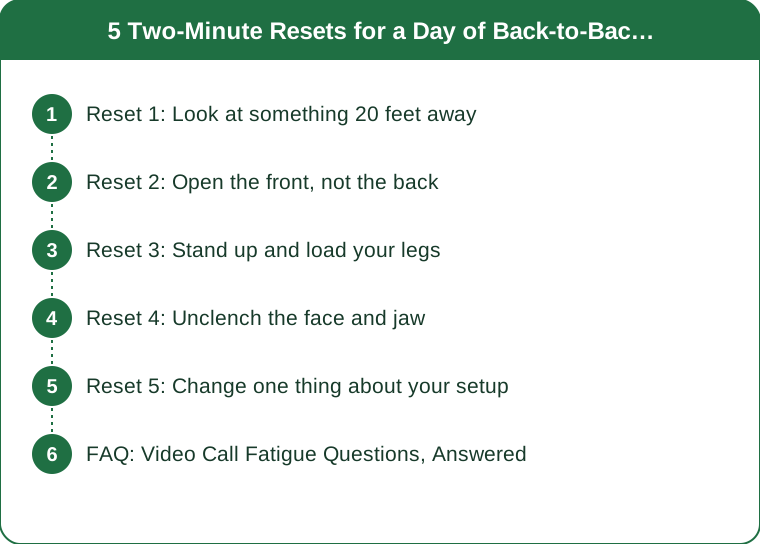
Reset 1: Look at something 20 feet away
Start here, because eye strain is the most underestimated part of a call-heavy day.
During a video call your eyes are locked at one fixed distance for the entire duration, and the small muscles that adjust focus stay contracted. On top of that, people blink substantially less when concentrating on a screen and on their own image, which dries the eye surface.
The reset is simple: look at something at least six metres away for twenty seconds. Out of a window is ideal. A far wall works. Blink deliberately and fully several times while you do it.
This is a version of the widely-taught 20-20-20 approach, and it takes twenty seconds rather than two minutes - which means there is genuinely no excuse for skipping it.
What it changes: the gritty, heavy-eyed feeling by mid-afternoon, and the headache that sits behind the eyes. A lot of what people describe as call fatigue is a focusing and blink-rate problem rather than a mental one.
Reset 2: Open the front, not the back
The instinct between calls is to stretch the shoulders and upper back, because that is where it aches. The more useful target is the front.
A long call pulls you into a specific shape: chest closed, shoulders rolled forward, head pushed toward the camera. The muscles at the back are not tight so much as lengthened and fatigued from holding you up. Stretching them further does not help much.
The reset: stand in a doorway, forearms on the frame at shoulder height, and step forward gently until you feel a stretch across the chest and the front of the shoulders. Thirty seconds. Then repeat with your arms slightly higher.
Follow it with two slow shoulder rolls backwards and one deliberate chin tuck - draw your chin straight back, not down, and hold for five seconds. That directly counters the forward head position the camera encourages.
Under two minutes for the whole sequence, and it is the one that most reliably changes how the next call feels.
Reset 3: Stand up and load your legs
Six hours of sitting is six hours of nothing happening in the largest muscles you own, and that is a significant driver of the mid-afternoon energy drop.
The reset: ten bodyweight squats, or ten sit-to-stands from your chair without using your hands. Then ten calf raises.
That is ninety seconds, it requires no equipment and no change of clothes, and it moves blood through the legs, which is the specific thing sitting prevents.
If you can, walk while you do it - a lap of the room, or the stairs if there are any. Walking between calls does more for the next hour than checking your phone during the gap does, and phone-checking is what usually fills that space.
One practical note: this needs the call to actually end. The single most useful change for a call-heavy day is scheduling meetings for 25 or 50 minutes instead of 30 or 60, which builds the gap into the calendar rather than relying on you to claim it.

Reset 4: Unclench the face and jaw
The one nobody mentions, and the one people recognise instantly once it is named.
On video you hold an attentive expression continuously, and you are watching your own face while doing it. That means sustained low-level tension in the jaw, around the eyes, and across the forehead, for hours.
The reset: let your jaw hang open for ten seconds. Move it gently side to side. Press your tongue to the roof of your mouth and release. Then massage the muscle at the angle of your jaw with two fingers for twenty seconds each side, and finish by raising your eyebrows fully and releasing three times.
It looks ridiculous, which is why it should be done with the camera off and the door shut.
What it addresses: tension headaches that arrive around 3pm, jaw ache, and the general facial fatigue that makes a day of calls feel more draining than a day of solo work. If you notice your teeth are touching when at rest - they should not be - that is worth knowing, because sustained clenching is a common and treatable cause of headache.
Reset 5: Change one thing about your setup
The other four resets treat symptoms. This one removes causes, and it is worth doing once rather than repeatedly.
Raise the camera to eye level. A laptop on a desk puts the camera below your face, which is why you lean and crane forward. Books under the laptop, plus a separate keyboard, fixes the head position for every call after it.
Turn off self-view. Most platforms allow hiding your own image. The evidence on this is reasonably consistent - watching yourself is a meaningful contributor to video call fatigue, and it is a single click to remove.
Move the screen further away. Arm’s length is the usual recommendation. Closer screens mean more focusing effort.
Take one call a day audio-only, walking. Not every meeting needs video, and a walking call is a genuinely different physical experience.
Check the light. A window behind you forces the camera to raise brightness and makes you squint at your own dim image all day. Face the window instead.
Fifteen minutes once, and every call after it is easier.
FAQ: Video Call Fatigue Questions, Answered
Why are video calls more tiring than in-person meetings?
Several factors compound: reduced non-verbal information means more cognitive effort to read people, sustained self-view is unusual and demanding, eye contact patterns are unnatural, and you sit in a much narrower physical range than in a real room. It is a genuine effect rather than a perception.
How long should the gap between calls be?
Five to ten minutes is enough to do one or two of these resets and reset attention. Scheduling 25 and 50 minute meetings as a default is the practical way to create that gap, and most people find it does not shorten the useful content at all.
Does blue light filtering help?
Evidence for blue light glasses reducing eye strain is weak. What does help is blink rate, screen distance, break frequency, and screen brightness matched to the room. Fix those before buying anything.
When is a headache worth taking seriously?
A new headache pattern, one that wakes you, one with visual changes, or one that keeps worsening deserves medical attention rather than a desk stretch. Routine tension headaches that ease with movement and breaks are the usual desk pattern. This is general information, not medical advice.
TL;DR:
- Video calls hold you in a narrower position than ordinary desk work - head forward, shoulders up, eyes fixed.
- Look 6 metres away for 20 seconds and blink fully. Twenty seconds, biggest return.
- Stretch the front, not the back. Doorway chest stretch plus a chin tuck.
- Ten squats and ten calf raises - ninety seconds that moves blood through the largest muscles you own.
- Unclench the jaw and face. Sustained attentive expression is a real and unnamed source of fatigue.
- Fix the setup once: camera at eye level, self-view off, screen at arm’s length, window in front of you.
Schedule 25 and 50 minute meetings and the gaps appear on their own. That single change makes all five of these possible.
Keep Reading
This article is for general informational purposes only and is not medical advice. It is not a substitute for professional diagnosis or treatment. Always consult a qualified healthcare provider about your individual situation, especially before making significant changes to your diet or exercise routine.